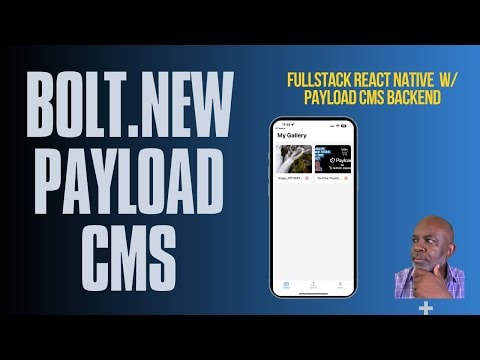
Building a Full Stack Mobile App with Bolt V2 and Payload CMS
Discover how I built a complete mobile app using Bolt V2 and Payload CMS as the backend. From the initial prompt to a working Expo app, all in one session. Learn how to streamline your development process and create powerful mobile applications efficiently.
Building a Full Stack Mobile App with Bolt V2 and Payload CMS
In this tutorial, we explore the process of building a full stack mobile application using Bolt V2 and Payload CMS. This guide will take you through the steps from the initial setup to deploying a working Expo app, all within a single session.
Introduction to Bolt V2 and Payload CMS
Bolt V2 is a powerful tool designed to streamline the development process, allowing developers to build applications quickly and efficiently. Payload CMS is a modern, open-source content management system that provides a flexible and scalable backend solution.
Why Use Bolt V2 and Payload CMS?
- Efficiency: Bolt V2 significantly reduces the time required to build applications by providing a robust set of tools and templates.
- Flexibility: Payload CMS offers a highly customizable backend, allowing developers to tailor their content management needs.
- Scalability: Both tools are designed to scale with your project, ensuring that your application can grow as your user base expands.
Step-by-Step Guide
1. Setting Up the Environment
To get started, ensure you have the following tools installed:
- Node.js
- Expo CLI
- Payload CMSnpm install -g expo-clinpm install -g payload-cmsbash
You can install these tools using the following commands:
2. Initializing the Project
Create a new Expo project using the following command:
Navigate to your project directory and install the necessary dependencies:
3. Configuring Payload CMS
Payload CMS requires a configuration file to set up your backend. Create a payload.config.js file in your project root and add the following configuration:
4. Building the Mobile App
With your backend configured, you can now focus on building the mobile app. Use Bolt V2 to generate the necessary components and screens. For example, to create a new screen, you can use the following command:
5. Deploying the App
Once your app is ready, you can deploy it using Expo. Run the following command to start the deployment process:
Conclusion
By leveraging Bolt V2 and Payload CMS, you can significantly reduce the time and effort required to build a full stack mobile application. This combination provides a powerful and flexible solution for modern app development.
Additional Resources
Final Thoughts
This tutorial demonstrates the power and flexibility of using Bolt V2 and Payload CMS together. By following these steps, you can build a robust mobile application efficiently and effectively. Happy coding!
Submitted
Payload Versions