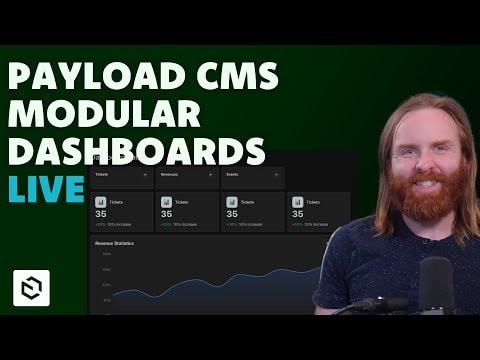
Exploring Payload CMS: First Look at Modular Dashboards (Live Coding Session)
Join this live coding session to see Payload CMS in action! I’ll set up a fresh project to explore the new modular dashboards feature, demonstrating how it enhances customization and flexibility for developers. Perfect for those looking to streamline their CMS workflows.
Exploring Payload CMS: First Look at Modular Dashboards
Introduction to Modular Dashboards in Payload CMS
Payload CMS is a powerful, open-source headless CMS built with developers in mind. One of its standout features is its flexibility, allowing teams to tailor the admin dashboard to their specific needs. In this live coding session, we dive into modular dashboards, a new feature designed to enhance customization and scalability for developers.
Modular dashboards enable you to break away from the traditional monolithic admin interface. Instead, you can create independent, reusable dashboard components that can be arranged, configured, and extended based on your project’s requirements. This approach is particularly useful for:
- Large-scale applications where different teams need tailored views.
- Complex workflows requiring role-specific dashboards.
- Projects with evolving needs, where flexibility is key.
What You’ll Learn in This Session
This live stream isn’t just a demo—it’s a hands-on exploration. Here’s what you can expect:
1. Setting Up a Fresh Payload CMS Project
- We’ll start from scratch, installing Payload CMS and configuring a basic project structure.
- Learn how to initialize a new project with the latest version of Payload, ensuring you’re working with the newest features.
2. Understanding the Modular Dashboard Architecture
- Dive into the core concepts behind modular dashboards, including how they differ from traditional dashboards.
- Explore the component-based approach, where dashboards are built using reusable blocks (e.g., charts, tables, or custom widgets).
3. Building and Customizing Dashboard Components
- See how to create custom dashboard modules from scratch.
- Learn how to integrate third-party libraries (e.g., data visualization tools) into your dashboard.
- Understand how to dynamically load modules based on user roles or permissions.
4. Practical Use Cases and Examples
- Walk through real-world scenarios where modular dashboards shine, such as:
- Analytics dashboards for tracking user engagement.
- Content management views tailored for editors vs. administrators.
- E-commerce dashboards for order tracking and inventory management.
5. Best Practices for Scalability and Maintenance
- Learn how to structure your dashboard code for long-term maintainability.
- Discover tips for optimizing performance, such as lazy-loading modules and minimizing bundle size.
- Explore strategies for testing and debugging modular dashboards in development and production.
Why Modular Dashboards Matter for Developers
Payload CMS has always prioritized developer experience, and modular dashboards are a game-changer for several reasons:
- Enhanced Flexibility: No more being locked into a rigid admin interface. Modular dashboards let you design the perfect workflow for your team.
- Reusability: Build once, use anywhere. Dashboard components can be shared across projects, saving time and effort.
- Scalability: As your project grows, modular dashboards can evolve with it, accommodating new features without a complete overhaul.
- Collaboration-Friendly: Different teams (e.g., marketing, development, content) can have dashboards tailored to their needs, improving productivity.
Who Should Watch This Session?
This live stream is ideal for:
- Developers looking to deepen their understanding of Payload CMS and its advanced features.
- Technical leads evaluating CMS options for their next project.
- Full-stack developers interested in building customizable admin interfaces.
- Open-source contributors who want to explore Payload CMS’s architecture and contribute to its ecosystem.
Conclusion
Modular dashboards represent a significant step forward in making Payload CMS even more adaptable and developer-friendly. Whether you’re new to Payload or a seasoned user, this session will provide valuable insights into how you can leverage this feature to build better, more scalable applications.
Stay tuned for the live coding walkthrough, and don’t hesitate to ask questions or share your thoughts during the stream. Let’s explore the future of CMS dashboards together!
Submitted
Payload Versions