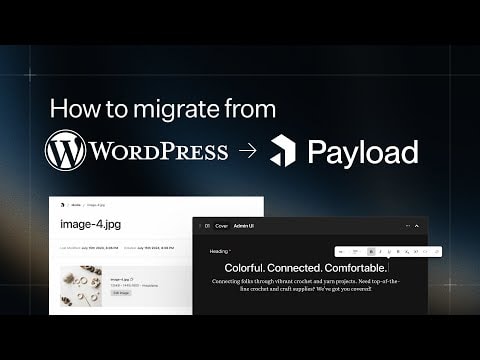
Guide: Migrating from WordPress to Payload CMS
Learn how to seamlessly migrate your content from WordPress to Payload CMS. This guide covers everything you need to know to transition to a developer-friendly Next.js CMS and full-stack backend, ensuring a smooth and efficient migration process.
Guide: Migrating from WordPress to Payload CMS
Payload CMS is rapidly gaining traction as the preferred Next.js CMS and full-stack backend for developers. Its flexibility, ease of use, and powerful features make it an attractive alternative to traditional CMS platforms like WordPress. This guide will walk you through the process of migrating from WordPress to Payload CMS, ensuring a smooth transition and highlighting the benefits of this modern CMS.
Why Migrate to Payload CMS?
- Developer-Friendly: Payload CMS is designed with developers in mind, offering a clean and intuitive interface that simplifies content management.
- Next.js Integration: As a Next.js CMS, Payload seamlessly integrates with Next.js applications, providing a robust backend solution.
- Full-Stack Capabilities: Payload is not just a CMS; it's a full-stack backend that can handle complex data structures and relationships.
- Customization: Payload offers extensive customization options, allowing developers to tailor the CMS to their specific needs.
Migration Steps
- Assess Your Content: Begin by taking an inventory of your WordPress content. Identify posts, pages, custom post types, and any other data that needs to be migrated.
- Set Up Payload CMS: Install and configure Payload CMS on your server. Follow the official documentation to ensure a proper setup.
- Export WordPress Data: Use WordPress export tools to extract your content. You can use plugins like WP All Export to simplify this process.
- Transform Data: Convert your WordPress data into a format compatible with Payload CMS. This may involve writing custom scripts or using data transformation tools.
- Import Data into Payload: Use Payload's import tools or APIs to bring your transformed data into the new CMS. Ensure that all relationships and metadata are correctly mapped.
- Test and Validate: Thoroughly test your Payload CMS setup to ensure all content is correctly migrated and functional. Validate that all links, images, and other media are properly displayed.
Common Challenges and Solutions
- Data Structure Differences: WordPress and Payload CMS have different data structures. You may need to write custom scripts to map WordPress data to Payload's schema.
- Media Files: Migrating media files can be tricky. Ensure that all images and other media are correctly transferred and linked in Payload.
- SEO Considerations: Maintain your SEO rankings by setting up proper redirects and ensuring that all meta tags and SEO settings are correctly configured in Payload.
Conclusion
Migrating from WordPress to Payload CMS can seem daunting, but with careful planning and execution, it can be a smooth and rewarding process. Payload's developer-friendly features and robust capabilities make it an excellent choice for modern web development. By following this guide, you'll be well on your way to leveraging the full potential of Payload CMS for your projects.
For more detailed information and step-by-step instructions, refer to the official Payload CMS documentation and community resources.
Submitted
Payload Versions