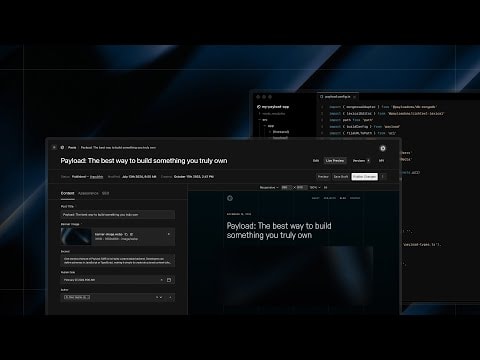
Introduction to Payload: The Open-Source Next.js Backend
Learn how Payload, the open-source Next.js backend, bridges the gap between headless CMS and application frameworks. This video will guide you through setting up and utilizing Payload to build powerful, scalable applications efficiently.
Introduction to Payload: The Open-Source Next.js Backend
Payload is an innovative open-source backend solution designed specifically for Next.js applications. It seamlessly integrates the functionalities of a headless CMS with the robust features of an application framework, providing developers with a powerful tool to build scalable and efficient applications.
What is Payload?
Payload is a modern backend solution that combines the best aspects of a headless CMS and an application framework. It is built to work seamlessly with Next.js, one of the most popular React frameworks for building server-side rendered and static web applications.
Key Features of Payload
- Open-Source: Payload is completely open-source, allowing developers to customize and extend its functionalities as needed.
- Next.js Integration: Designed to work flawlessly with Next.js, enabling developers to leverage the full potential of this powerful framework.
- Headless CMS Capabilities: Payload provides all the essential features of a headless CMS, such as content management, API generation, and more.
- Application Framework: Beyond just a CMS, Payload offers the tools and structures needed to build full-fledged applications.npm install payloadbash
Why Use Payload?
Payload is ideal for developers looking to build scalable and efficient applications without the hassle of managing multiple tools and frameworks. By integrating a headless CMS with an application framework, Payload simplifies the development process and allows developers to focus on creating high-quality applications.
Getting Started with Payload
To get started with Payload, you can follow these steps:
- Installation: Begin by installing Payload in your Next.js project. You can do this by running the following command in your project directory:
- Configuration: Configure Payload to suit your project requirements. This involves setting up your content models, defining your API endpoints, and more.
- Integration: Integrate Payload with your Next.js application. This step ensures that your frontend and backend work seamlessly together.
- Development: Start building your application using the powerful features provided by Payload. This includes managing your content, creating API endpoints, and leveraging the application framework to build robust applications.
Example Use Case
Imagine you are building a blog platform. With Payload, you can:
- Manage Content: Easily create, edit, and manage blog posts using Payload's headless CMS capabilities.
- Generate APIs: Automatically generate APIs for your blog posts, allowing you to fetch and display content on your frontend.
- Build Applications: Utilize Payload's application framework to build additional features such as user authentication, comments, and more.
Conclusion
Payload is a game-changer for developers looking to build scalable and efficient applications with Next.js. By combining the functionalities of a headless CMS and an application framework, Payload provides a comprehensive solution that simplifies the development process and enhances productivity.
For more information and to get started with Payload, visit the official Payload documentation.
Submitted
Payload Versions