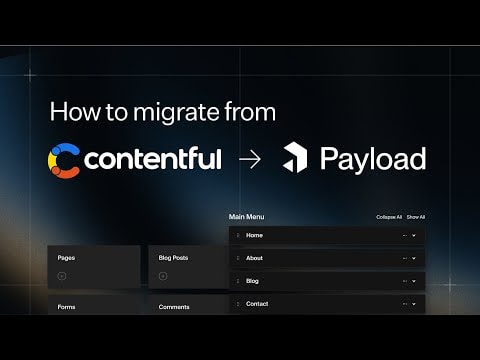
Migrating from Contentful to Payload: A Next.js Native CMS Guide
Learn how to seamlessly migrate your Contentful project to Payload 3.0, a Next.js native CMS and app framework. This guide covers everything you need for a smooth transition.
Migrating from Contentful to Payload: A Comprehensive Guide
If you're looking to migrate from Contentful to Payload, you've come to the right place. This guide provides a deep dive into the process of migrating a Contentful project to Payload 3.0, a powerful and flexible Next.js native CMS and application framework.
Why Migrate to Payload?
Payload is a modern, open-source CMS and application framework built with Next.js. It offers several advantages:
- Flexibility: Payload allows you to build custom solutions tailored to your specific needs.
- Integration: Seamless integration with Next.js makes it a great choice for developers already using this framework.
- Performance: Payload is designed for high performance, ensuring your applications run smoothly.npm install payloadbash
Step-by-Step Migration Guide
1. Understanding the Basics
Before you start the migration process, it's essential to understand the basic structure and functionalities of both Contentful and Payload. This will help you map out the migration process more effectively.
2. Setting Up Payload
First, you need to set up Payload in your development environment. This involves installing the necessary dependencies and configuring your project to work with Payload.
3. Data Migration
Migrating your data from Contentful to Payload involves several steps:
- Exporting Data from Contentful: Use Contentful's export tools to get your data in a usable format.
- Transforming Data: Convert the exported data into a format that Payload can use.
- Importing Data into Payload: Use Payload's import tools to bring your data into the new system.
4. Configuration and Customization
Once your data is migrated, you'll need to configure and customize Payload to match your project's requirements. This includes setting up your content models, defining fields, and configuring your application's behavior.
5. Testing and Deployment
After migration and configuration, thoroughly test your application to ensure everything works as expected. Once testing is complete, you can deploy your application to a production environment.
Conclusion
Migrating from Contentful to Payload can seem daunting, but with the right approach and tools, it can be a smooth and rewarding process. Payload's flexibility and integration with Next.js make it an excellent choice for modern web development projects.
By following this guide, you'll be well on your way to leveraging the full potential of Payload for your content management and application development needs.
Submitted
Payload Versions