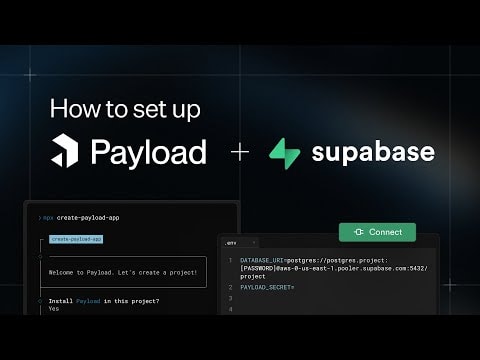
Setting Up Payload CMS with Supabase
Discover how to integrate Payload CMS with Supabase to build a robust backend for your Next.js applications. This tutorial covers everything from setup to deployment, ensuring you have a seamless development experience.
Setting Up Payload CMS with Supabase
In this guide, you'll learn how to set up Payload CMS with Supabase to create a powerful backend for your Next.js applications. This combination leverages the strengths of both platforms, providing a scalable and efficient solution for your web projects.
What You Will Learn
- Introduction to Payload CMS: Understand the basics of Payload CMS, a flexible and extensible headless CMS built with React and Node.js.
- Supabase Overview: Learn about Supabase, an open-source Firebase alternative that provides a suite of tools for building modern applications.
- Integration Steps: Follow a step-by-step guide to integrate Payload CMS with Supabase.
- Deployment: Learn how to deploy your setup to ensure a smooth and efficient workflow.
Why Use Payload CMS with Supabase?
Payload CMS is a powerful tool for managing content, offering a user-friendly interface and extensive customization options. Supabase, on the other hand, provides a robust backend solution with features like real-time databases, authentication, and storage. By combining these two platforms, you can create a seamless and efficient backend for your Next.js applications.
Step-by-Step Integration Guide
- Set Up Payload CMS:
- Install Payload CMS using the official documentation.
- Configure your Payload CMS project to suit your needs.
- Create a Supabase Project:
- Sign up for a Supabase account.
- Create a new project and set up your database.
- Connect Payload CMS to Supabase:
- Use the Supabase client library to connect your Payload CMS project to your Supabase database.
- Configure the necessary environment variables and settings.
- Deploy Your Project:
- Follow the deployment guidelines for both Payload CMS and Supabase.
- Ensure your project is properly configured and optimized for production.
Conclusion
By following this guide, you'll have a fully functional backend for your Next.js applications, powered by Payload CMS and Supabase. This setup provides a scalable and efficient solution, allowing you to focus on building great user experiences.
Additional Resources
This comprehensive guide ensures you have all the information you need to successfully integrate Payload CMS with Supabase, creating a powerful backend for your web projects.
Submitted
Payload Versions