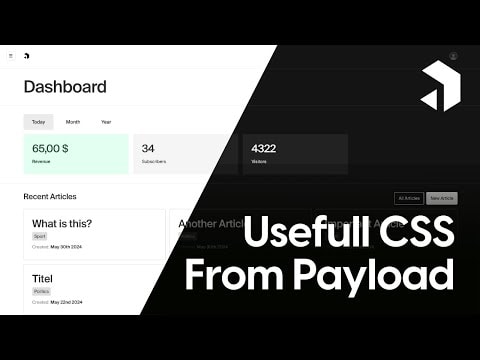
Useful Payload CSS Classes with Tailwind: Tips & Tricks
Discover essential CSS classes in Payload CMS and how to integrate them with Tailwind. This video covers practical tips and tricks to enhance your styling workflow, helping you create more efficient and maintainable designs. Learn how to leverage these tools to improve your development process.
Useful Payload CSS Classes with Tailwind: Tips & Tricks
In this video, we delve into the world of CSS classes provided by Payload CMS and how you can effectively use them in conjunction with Tailwind CSS. Whether you're a seasoned developer or just starting out, understanding these classes can significantly enhance your styling capabilities and streamline your workflow.
What You Will Learn
- Essential CSS Classes: Discover the most useful CSS classes that come with Payload CMS and how they can be applied to your projects.
- Tailwind Integration: Learn how to seamlessly integrate these classes with Tailwind CSS to create responsive and visually appealing designs.
- Practical Tips & Tricks: Gain insights into practical tips and tricks that can help you make the most out of these tools, improving your development efficiency.
Why Payload CMS?
Payload CMS is a powerful and flexible content management system designed for developers. It provides a robust set of tools and features that make it easy to manage and deliver content. One of the standout features of Payload CMS is its comprehensive set of CSS classes, which can be easily customized and extended to fit your project's needs.
Getting Started with Payload CSS Classes
- Understanding the Basics: Before diving into the advanced features, it's essential to understand the basic CSS classes provided by Payload CMS. These classes are designed to be intuitive and easy to use, making it simple to style your content.
- Exploring the Documentation: Payload CMS offers extensive documentation that covers all the available CSS classes. Familiarizing yourself with this documentation is a great way to get started.
- Applying Classes: Once you have a good understanding of the available classes, you can start applying them to your HTML elements. This will help you see how they affect the styling and layout of your content.
Integrating with Tailwind CSS
Tailwind CSS is a utility-first CSS framework that can be used to create highly customizable and responsive designs. Integrating Payload CSS classes with Tailwind can provide you with even more flexibility and control over your styling.
- Setting Up Tailwind: The first step is to set up Tailwind CSS in your project. This involves installing the necessary packages and configuring your project to use Tailwind.
- Combining Classes: Once Tailwind is set up, you can start combining Payload CSS classes with Tailwind utilities. This allows you to leverage the strengths of both tools, creating a more efficient and maintainable styling workflow.
- Customizing Styles: Tailwind CSS provides a wide range of customization options. You can use these options to fine-tune your styles and create a unique look and feel for your project.
Practical Tips & Tricks
- Use the Payload Admin Panel: The Payload Admin Panel is a powerful tool that can help you manage your CSS classes and styles. Make sure to explore its features and see how it can assist you in your development process.
- Leverage Payload's Flexibility: Payload CMS is designed to be flexible and adaptable. Don't be afraid to experiment with different classes and styles to see what works best for your project.
- Stay Organized: Keeping your CSS classes and styles organized is crucial for maintaining a clean and efficient codebase. Use comments and consistent naming conventions to keep everything in order.
Conclusion
By understanding and utilizing the CSS classes provided by Payload CMS, along with the powerful features of Tailwind CSS, you can significantly enhance your styling capabilities. This video provides you with the knowledge and tools you need to create efficient, maintainable, and visually appealing designs. Happy coding!
Submitted